애플리케이션 설명
HTML 태그를 변경하지 않고 번역한 결과입니다.
Cut, copy, and paste images with our photo collage editor, slideshow maker, and retouching tools.
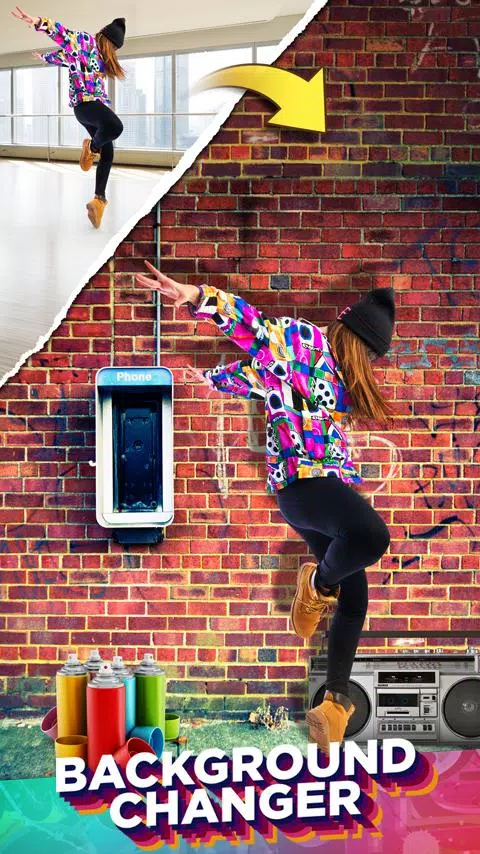
Change your photo background with a single click.
Cut or copy people, animals, cars, and backgrounds to paste into other photos and create brand new collages.
Need to remove a photo background? Cut out subjects and place them on a new backdrop. Want to remove people from pictures? This is the perfect app for you.
Missed someone in a family photo? Add them in seamlessly without needing professional editing software. It's the ultimate copy-paste tool for photos.
Cut Paste Photos is packed with hundreds of editing features. Key tools include:
1. AI Background Eraser: Cut photos or extract people and pets from their background. The automatic eraser removes backgrounds instantly, leaving you with images ready to paste anywhere.
2. Manual Copy Tool: Use our manual photo cutter to copy and extract precisely the parts you want.
3. Advanced Photo Editor: Refine your cutouts for sharper, more exact edges. Perfect for removing people or objects from photos.
4. Paste on Photos: Paste your cut images onto any background from your gallery. Insert yourself into famous landmarks and travel to places you've never visited.
5. Photo Collages: Design custom collages by pasting cut photos onto our prepared backgrounds, or create freeform layouts.
6. Color Pop: Use our color splash tool to keep rich color on your subject while converting the rest to black and white, highlighting the photo's focal point.
7. Photo Clone: Paste multiple copies of a person to create a fun cloning effect. Try the Motion Effect with Clone for various styles. Photo Mirror effects produce repeating, mirrored reflections.
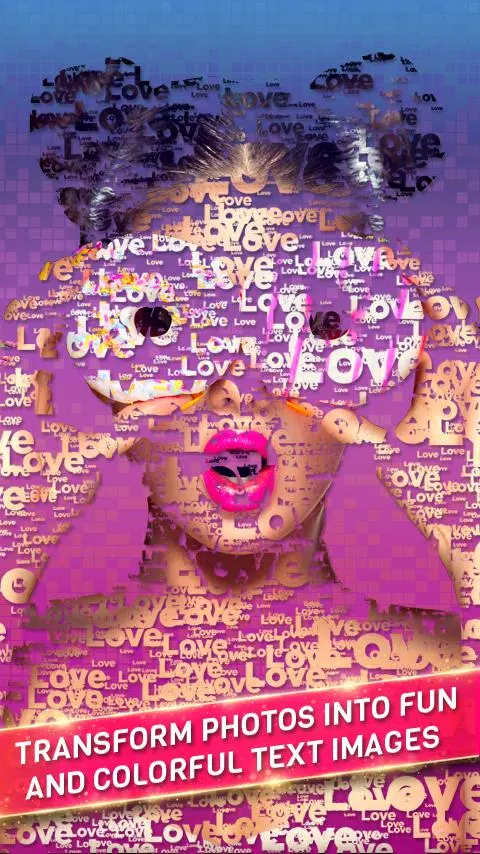
8. Text on Photo: Use our advanced text editor to overlay text or transform cut photos into text art. Features include multiple fonts, textures, and stylish text options for photos and collages.
9. Double Exposure: Easily craft double exposure effects by blending photos, especially with scenic nature shots.
10. Photo Filters: Apply hundreds of filters to create stunning effects. Editing tools also include transform features like Flip Vertically and Flip Horizontally.
Photo Sources: You can now use images from our extensive web search or your device's gallery. Search the web for pictures to cut and paste into your collage editor. Backgrounds include web images, our exclusive licensed collections, and your personal photos.
Photo Stickers: Access thousands of stickers included in the app.
With advanced tools like the Advanced Editor, Magnifying Glass, Collage Maker, and Auto Background Eraser, Cut Paste Photos helps you create stunning images and collages. Changing a photo background is now just one click away.
Privacy Terms for cloud processing: https://dexati.com/privacycutpaste.html
Report any issues with AI Features at: https://dexati.com/reportai.html (Report from the app via the home screen menu in the top right corner, then click "Report AI").
### What's New in the Latest Version 11.0.4
Last updated on Oct 9, 2024
Improved Stability.
스크린샷


리뷰
Cut Paste Photos 같은 앱










인기 앱








주요 뉴스
](https://images.dyk8.com/uploads/18/17380116246797f3e8a8a39.jpg)







최신 앱



최신 기사