Marvel Rivals 的最佳设置:提升帧数并减少输入延迟
掌握Marvel Rivals:优化您的设置以获得最佳性能
Marvel Rivals 提供激动人心、快节奏的战斗,以标志性的 Marvel 英雄和令人惊叹的视觉效果为特色。在经过充分优化的同时,微调您的设置可以显着增强游戏的流畅性和控制力。本指南详细介绍了对显示、图形和音频设置的调整,以最大限度地发挥硬件潜力并释放您内心的超级英雄。
注意:此处未明确提及的设置(绑定、辅助功能、社交)取决于个人喜好。
Marvel Rivals:最佳显示设置
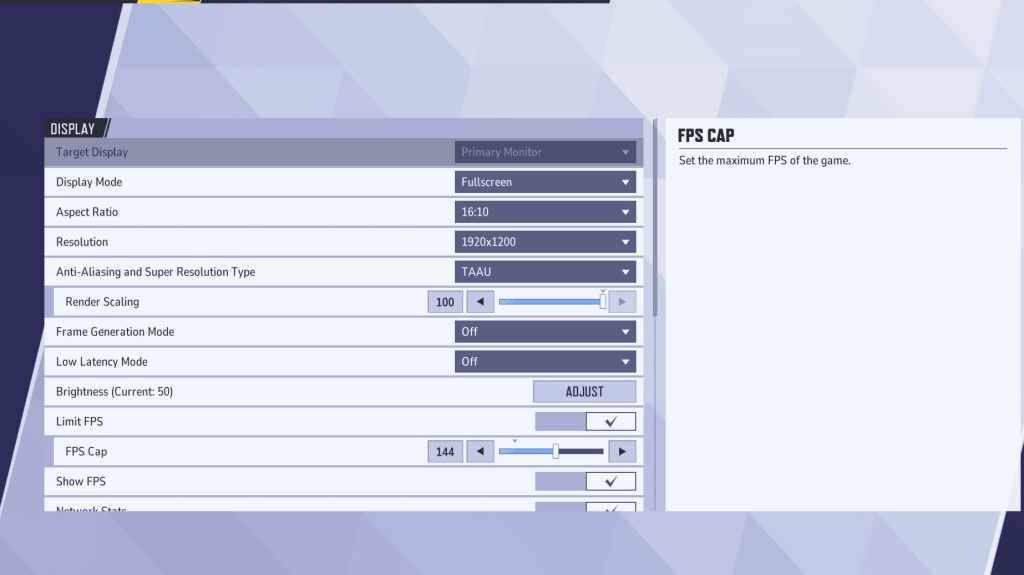
从基本显示设置开始。 全屏模式 建议认真的游戏玩家使用,因为它将所有系统资源用于游戏,最大限度地提高 FPS 并最大限度地减少干扰。 无边界窗口模式 提供更轻松的多任务处理,但可能会降低 FPS 并引入输入延迟。
| Setting | Description | Best Setting |
|---|---|---|
| Display Mode | How the game is displayed. | Fullscreen (prioritizes performance); Borderless Windowed (easier multitasking) |
| Resolution | Screen resolution. | Native Monitor Resolution |
| Aspect Ratio | Game display width and height. | Native Monitor Aspect Ratio |
| Anti-aliasing & Super Resolution | Anti-aliasing and resolution scaling technologies. | Experiment to find optimal balance between visuals and performance. |
| Frame Generation | Frame generation technology. TAAU is generally safe, experiment for best results. | Off |
| Low Latency Mode | Reduces input lag (Nvidia GPUs only). | On + Boost (if available) |
| V-Sync | Synchronizes frame rate with monitor refresh rate. May introduce input lag. | Off |
| Limit FPS | Caps maximum frame rate. | Monitor's refresh rate |
| Show FPS | Displays FPS on-screen. | On |
| Network Stats | Displays network statistics. | On |
Marvel Rivals:最佳图形设置
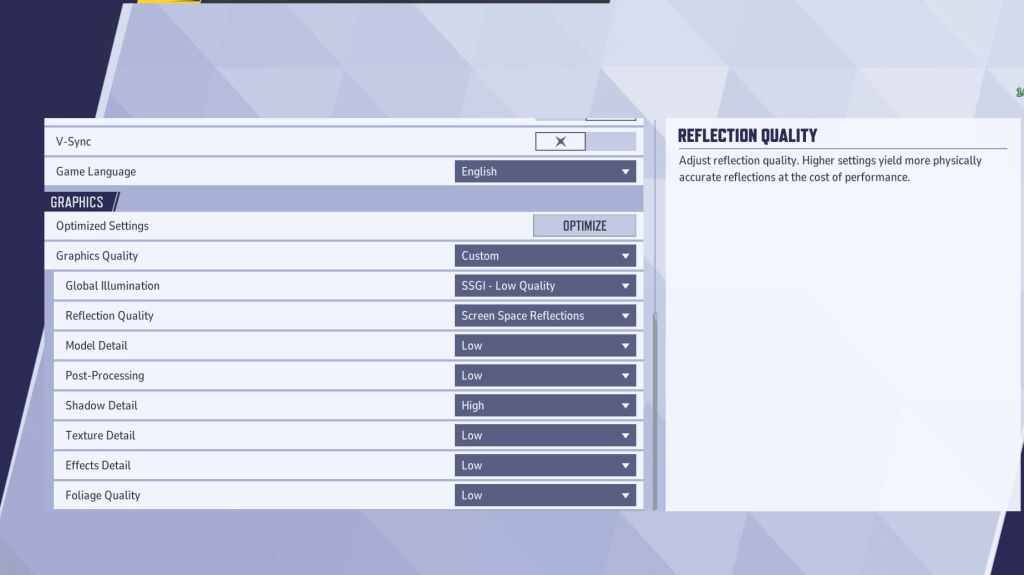
图形设置严重影响性能。对于竞技游戏,性能优先于视觉保真度,将大部分设置为“低”以获得更流畅、更灵敏的游戏体验。 高端电脑可以容忍中或高设置以改善视觉效果。
| Setting | Description | Best Setting |
|---|---|---|
| Graphics Quality | Preset adjusting multiple visual settings. | Custom |
| Global Illumination | Simulates light bouncing; higher settings are more realistic but demanding. | SSGI – Low Quality |
| Reflection Quality | Clarity and realism of reflections. | Screen Space Reflections |
| Model Detail | Complexity and realism of character and object models. | Low |
| Post-Processing | Additional visual effects (motion blur, depth of field). | Low |
| Shadow Detail | Sharpness and quality of shadows. | High |
| Texture Detail | Resolution of in-game textures. | Low |
| Effects Detail | Quality of visual effects (explosions, ability animations). | Low |
| Foliage Quality | Density and detail of environmental elements (grass, trees). | Low |
在游戏和 Windows 设置中禁用鼠标加速,以提高瞄准精度。
Marvel Rivals:最佳音频设置
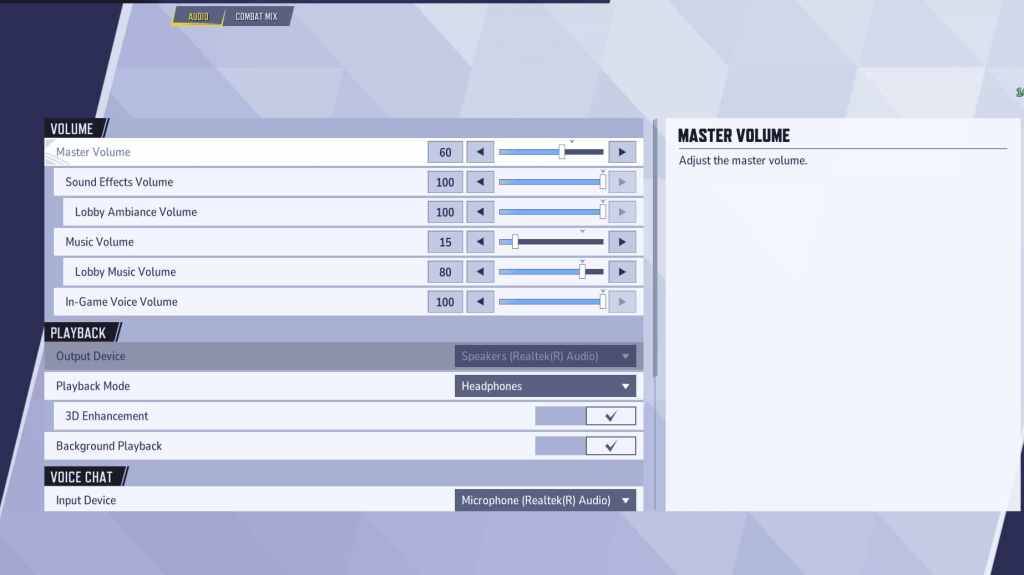
音频显着影响游戏玩法。 启用3D增强以改善空间声音,帮助精确定位敌人的位置和能力。 使用 HRTF(如果可用)来增强音频提示。根据您的喜好调节音量。
下一步:在Marvel Rivals中发现最好的团队能力!







](https://images.dyk8.com/uploads/18/17380116246797f3e8a8a39.jpg)