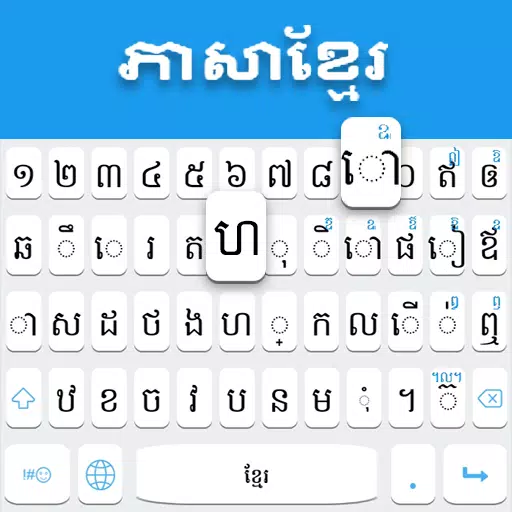
Application Description
Khmer Keyboard for typing in the Khmer language, featuring emojis and customizable themes.
★ How to Install the Khmer Keyboard: Installation instructions for the Khmer Typing Keyboard are provided in the description below.
Khmer Keyboard: Discover the best Khmer language keyboard with stylish themes and the latest emojis. This keyboard makes typing in Khmer easy and straightforward, perfect for users who want to switch seamlessly between English and Khmer. It's specially designed for everyone who loves the Khmer language.
The Cambodia Keyboard is the top mobile keyboard for typing in Khmer. It allows you to write messages, emails, and update your status in Khmer text.
Cambodia Keyboard: Your feedback helps us improve. We review all suggestions and work continually to enhance the Khmer Keyboard, making it faster and better. New versions with updated emojis and themes are regularly released.
Key Features of the Khmer Keyboard
★ Khmer Keyboard: Easy-to-use interface for typing in Khmer.
★ Khmer Typing Keyboard: Fast and efficient for trending Khmer typing.
★ Khmer Language Keyboard: Functions completely offline.
★ Khmer Language Keyboard: A comprehensive Khmer-English keyboard with full
dictionary support and auto-correction.
★ Khmer Keyboard: Access over 1000+ emojis, stylish stickers, and cute emoticons.
★ Khmer Keyboard: Get smart word suggestions to express yourself quickly in your language, saving you time.
★ Khmer Language Keyboard: Switch effortlessly between Khmer and English for full language access.
★ Khmer English Keyboard: Choose from more than 15 color themes to set as your keyboard background.
★ Khmer Language Keyboard: Customize your typing with various keypress sounds like water drop, wood tap, and vibration.
Khmer Keyboard Privacy Policy
This Cambodia Keyboard is 100% safe. We do not save any keystrokes or personal data such as photos, videos, contacts, or access your microphone or camera.
Khmer Keyboard: Compose emails, post on social networks, and send messages in Khmer. Use it to write Khmer text, which you can copy and paste anywhere. This app is invaluable for Khmer speakers worldwide, offering word suggestions for faster typing. This free Khmer Language Keyboard lets you type all Khmer alphabets, letters, and words quickly and easily, helping you communicate with your world in your own language.
How to Use the Khmer Keyboard
1. Download and install the app.
2. Open "Khmer Keyboard".
3. Enable the keyboard in your settings.
4. Select "Khmer Keyboard" as your active keyboard.
5. Choose your favorite theme.
We hope you enjoy the Khmer Typing Keyboard! Please share it and leave a review to help us make further improvements. Thank you.
What's New in the Latest Version 3.2
Last updated on Sep 5, 2024
Minor bug fixes. A dictionary and word suggestions feature will be added in the next update.
Reviews
Apps like Khmer Keyboard









Trending apps








Top News

![Roblox Forsaken Characters Tier List [UPDATED] (2025)](https://images.dyk8.com/uploads/18/17380116246797f3e8a8a39.jpg)






Latest Apps






Latest Articles