Application Description
Instantly translate your written and spoken communication into over 70 languages.
Microsoft Translator is a powerful, free app designed to help you communicate across more than 70 languages. It serves as an essential and efficient tool for traveling to different countries.
Key Features
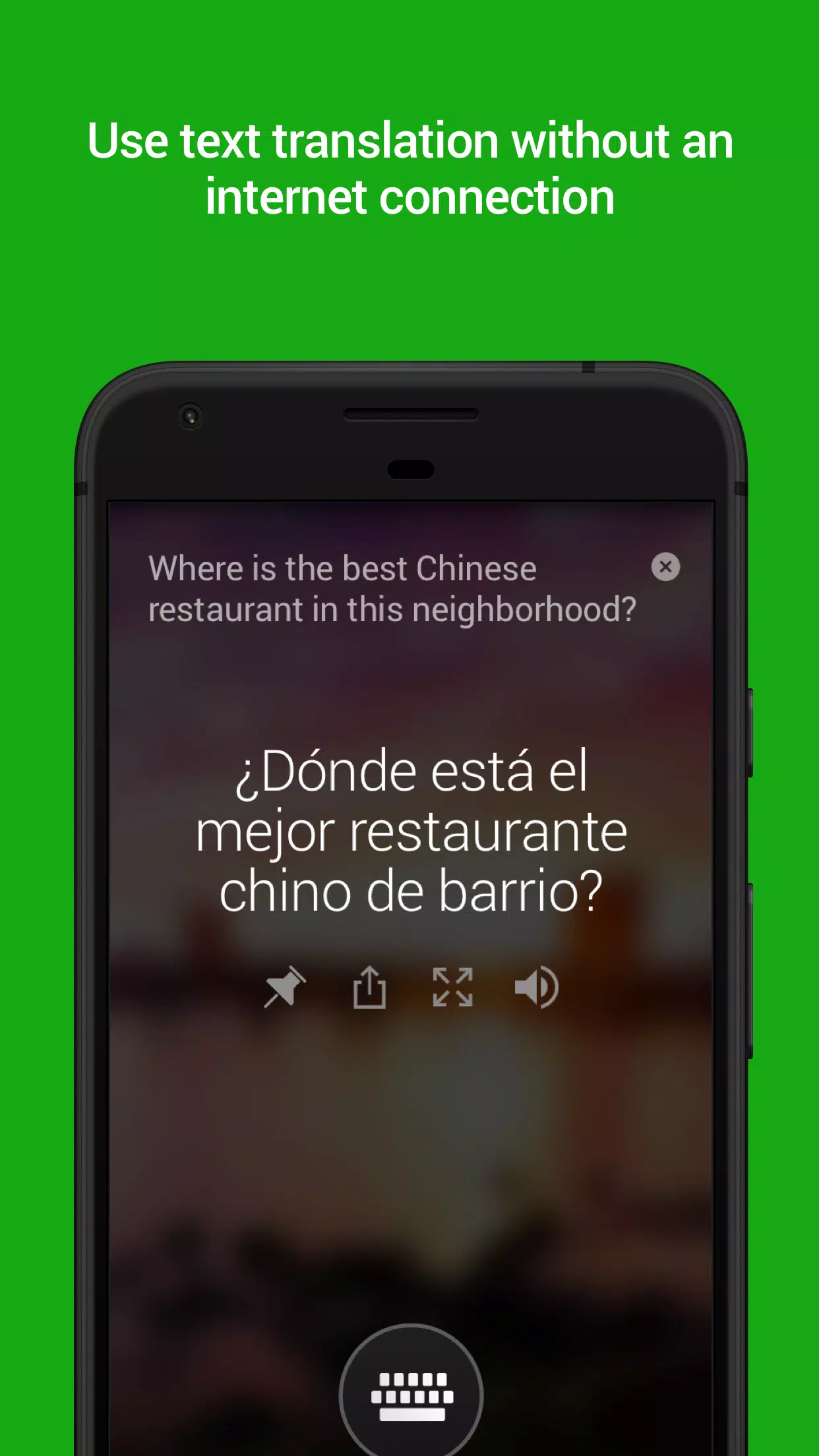
- Translate from text, images, camera feeds, and speech, both online and offline.
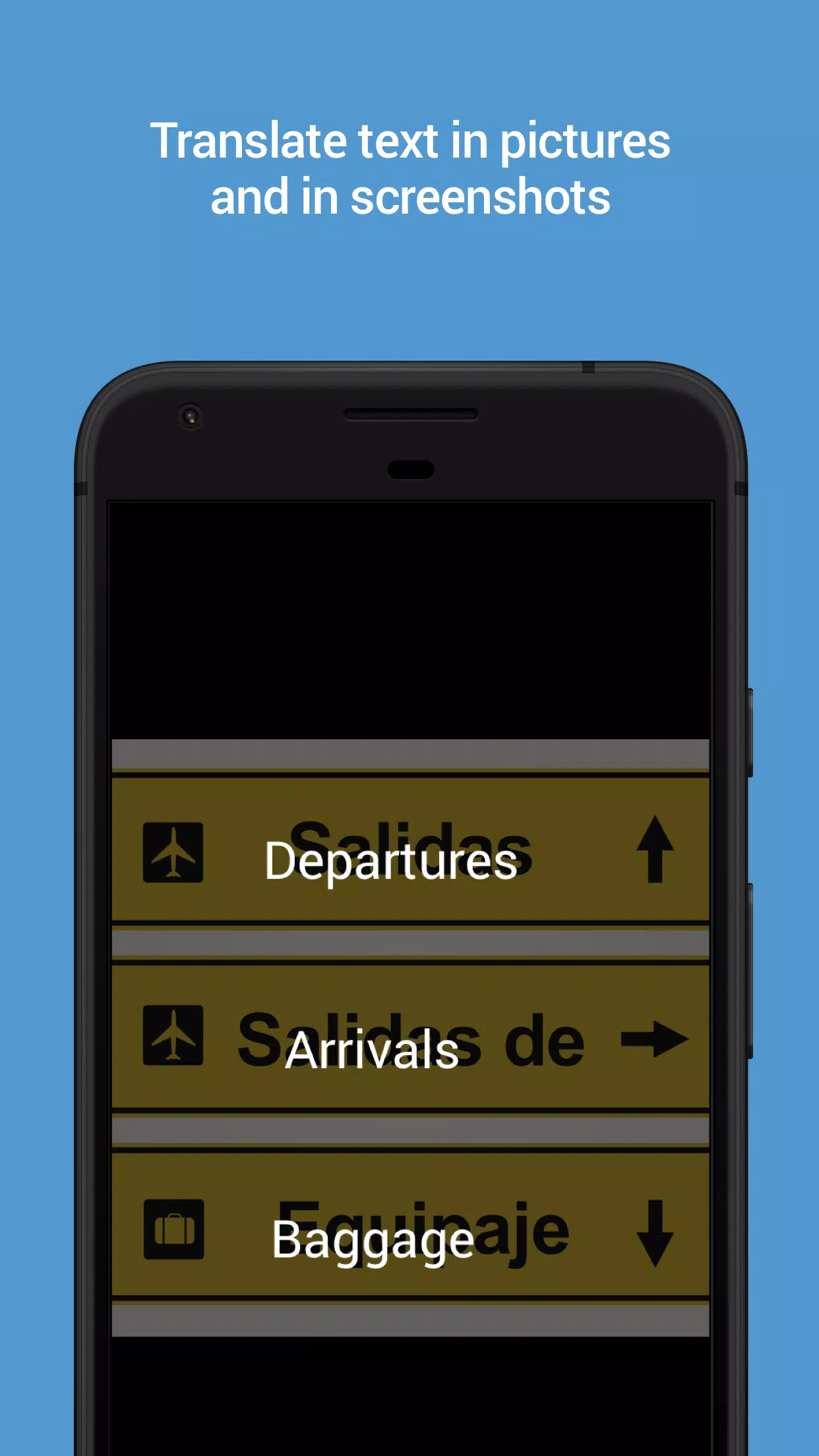
- Scan pictures or screenshots to identify and translate text within them.
- Listen to translated text in audio format to facilitate easier communication with foreigners.
Microsoft Translator is a free, personal translation app supporting over 70 languages. It allows you to translate text, voice, conversations, camera photos, and screenshots. You can also download languages for offline use at no cost, making it perfect for travel.
- Text Translation: Translate into over 70 languages* for both online and offline use.
- Camera Translation: Translate text found within photos and screenshots.
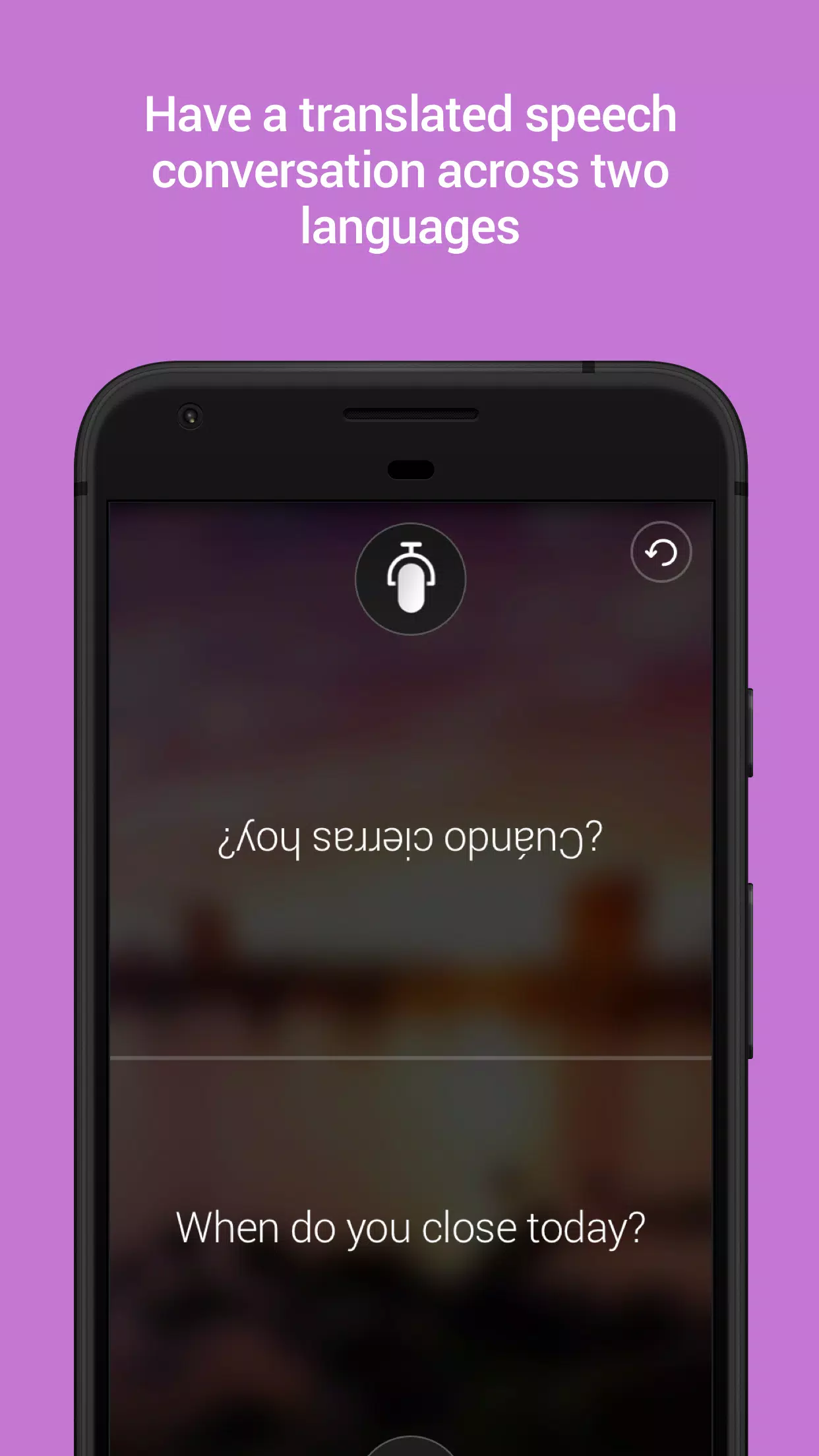
- Voice Translation: Translate speech, featuring a split-screen mode for bilingual conversations between two participants.
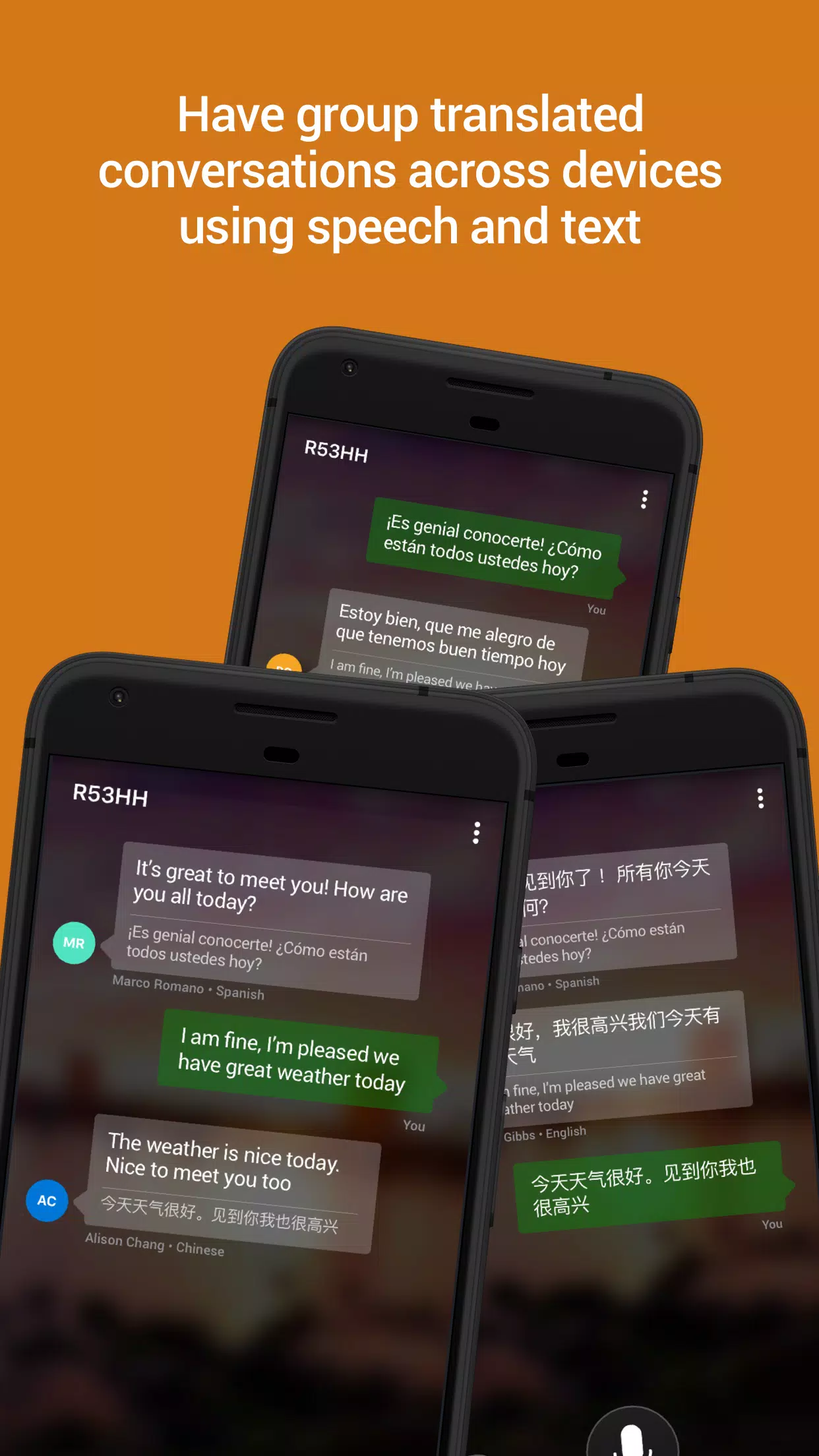
- Multi-person Conversation: Connect your devices to facilitate in-person conversations with up to 100 people across multiple languages.
- Phrasebooks: Access verified translations and pronunciation guides to help you learn essential phrases while traveling.
- Alternate Translations: Look up alternative translations and meanings to find the best way to express yourself.
- Offline Use: Download languages for offline access when traveling without an internet connection.
- Audio Playback: Hear your translated phrase spoken aloud to help you learn the correct pronunciation.
- Transliterations: View pronunciation guides (including Pinyin for Chinese) to assist with pronunciation.
- Sharing: Share your translations with other apps.
- Pin and Save: Pin and save your most frequent translations for quick access later.
- Context Menu: Translate text in other apps directly through the context menu.
Supported Languages: Afrikaans, Arabic, Arabic (Levantine), Bangla, Bosnian (Latin), Bulgarian, Cantonese (Traditional), Catalan, Chinese Simplified, Chinese Traditional, Croatian, Czech, Danish, Dari, Dutch, English, Estonian, Fijian, Filipino, Finnish, French, German, Greek, Gujarati, Haitian Creole, Hebrew, Hindi, Hmong Daw, Hungarian, Icelandic, Indonesian, Irish, Italian, Japanese, Kannada, Kazakh, Korean, Kurdish (Central), Kurdish (Northern), Latvian, Lithuanian, Malagasy, Malay, Malayalam, Maltese, Maori, Marathi, Norwegian, Odia, Pashto, Persian, Polish, Portuguese (Brazil), Portuguese (Portugal), Punjabi, Queretaro Otomi, Romanian, Russian, Samoan, Serbian (Cyrillic), Serbian (Latin), Slovak, Slovenian, Spanish, Swahili, Swedish, Tahitian, Tamil, Telugu, Thai, Tongan, Turkish, Ukrainian, Urdu, Vietnamese, Welsh, Yucatec Maya.
Microsoft Translator is powered by cutting-edge technology used by Office, Bing, Skype, and Edge, as well as by partners such as Adobe, LinkedIn, and others.
*Some features are not available in all languages.
What's New in Version 4.0.542a 2b44aba7
Last updated: May 18, 2023
Bug fixes and general improvements.
Screenshot
Reviews
Apps like Microsoft Translator









Trending apps








Top News
![Roblox Forsaken Characters Tier List [UPDATED] (2025)](https://images.dyk8.com/uploads/18/17380116246797f3e8a8a39.jpg)







Latest Apps




Latest Articles