Melon Sandbox: Create Ultimate Levels
Melon Sandbox is a physics-driven sandbox simulation where you can freely express your creativity, simulate destruction, and build imaginative machines. With no set goals or restrictions, the game encourages experimentation using various tools, characters, and objects to craft your own entertainment. This beginner’s guide will introduce the core user interface and walk you through the steps to design your own working levels. Let’s get started!
To further enhance your experience, explore our Melon Sandbox Tips & Tricks article for expert gameplay advice.
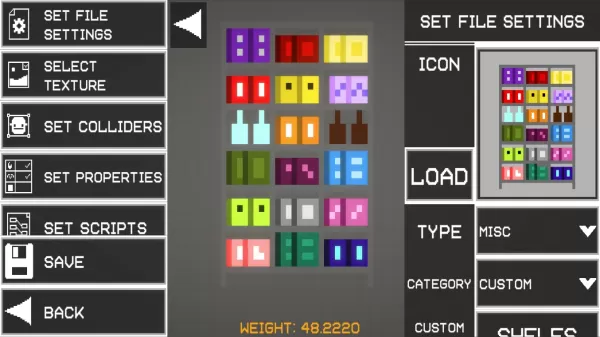
Every object has unique weight, collision properties, and durability. You can position and fine-tune them using the tool menu. For example, the Freeze function can hold a platform in mid-air, allowing you to attach a thruster and simulate a flying machine.
Experience Real-Time Interactions
A standout feature of Melon Sandbox is its detailed combat and gore system. Characters take damage, lose limbs, or explode realistically, with each body part reacting independently for exaggerated ragdoll physics. Weapons like flamethrowers can set characters on fire, while electric traps deliver shocks upon contact. This system appeals to players who love experimenting with cause-and-effect scenarios or staging intense action sequences.
You can also play Melon Sandbox on your PC or laptop using BlueStacks, taking advantage of a larger display along with keyboard and mouse controls.
Latest Articles
Trending Games










Top News

![Roblox Forsaken Characters Tier List [UPDATED] (2025)](https://images.dyk8.com/uploads/18/17380116246797f3e8a8a39.jpg)







Latest Games